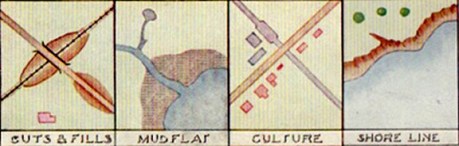
Selecting effective colors for your maps is a challenge. In Making Maps I review basic color issues, including how we see and create colors, as well as the complexity of color interactions and some basic color guidelines.
A myriad of color resources for mapping exist. A few of the more useful are below.
ColorBrewer: Cindy Brewer and Mark Harrower’s ColorBrewer is a terrific and easy-to-use web-based tool for choosing appropriate color schemes. While the focus is on colors for choropleth maps, the color schemes are appropriate for other map types and information graphics. Color recommendations are displayed on a map (upon which roads, city symbols, and boundaries can be viewed). Icons indicate if the selected color scheme works well for the color blind, if photocopied, or on a computer projector, LCD, or CRT computer screen. Color schemes are specified in five different color models (CMYK, RGB, HEX, LAB, and AV3), making colors easy to transfer to mapping or graphic design software. Color recommendations are based on Brewer’s extensive color research. Requires Flash 5 or later.
Color Oracle: Up to 12% of the population is colorblind. A common form of colorblindness results in red and green looking the same. It’s a problem, then, if you create a map where red and green distinguish different phenomena. Bernhard Jenny and Nathaniel Vaughn Kelso’s Color Oracle is a free software application that simulates three types of color blindness on your computer screen. With your map on screen, start the software and toggle between different kinds of colorblindness to see if your colors work for people with that type of colorblindness. Simple and useful. Mac, Windows, and Linux versions.
 Making Maps: DIY Cartography